Staying connected in today’s fast-paced world is not a luxury; it’s a necessity. For millions of Kenyans, affordable and reliable internet and airtime are the lifelines to work, education, entertainment, and family. Since 2019, Bingwa Sokoni has established itself as a trusted platform, offering a wide array of affordable data bundles, SMS packages, and airtime deals tailored for Safaricom users.
If you’ve been searching for a straightforward guide on how to access Bingwa Sokoni, you’ve come to the right place. This comprehensive article will walk you through every single method—from using M-Pesa till numbers to automating purchases via their website. Whether you’re buying for yourself, a family member, or looking to manage your communication costs more effectively, this guide covers everything you need to know.
We’ll explore the popular bundles, provide step-by-step instructions, share important troubleshooting tips, and answer frequently asked questions to ensure your experience is smooth and seamless.
What is Bingwa Sokoni?
Before diving into the “how,” it’s essential to understand the “what.” Bingwa Sokoni is an online platform that provides affordable data bundles, voice minutes, and SMS packages specifically for Safaricom lines in Kenya. They act as a service provider, leveraging various Safaricom deals to offer competitive rates that often provide better value than standard market prices.
Their website, bingwasokoni.co.ke, serves as the central hub for information, showcasing their latest offers, customer testimonials, and providing tools for automated purchases. The platform is designed for simplicity, ensuring that users can quickly find a bundle that fits their needs and budget, from a quick 1-hour data fix to a comprehensive 30-day monthly plan.
Why Choose Bingwa Sokoni?
Based on customer feedback and the services listed on the site, here’s why thousands of Kenyans trust Bingwa Sokoni:
- Affordability: They offer competitive pricing on data, minutes, and SMS, helping you save money.
- Variety: From bundles that expire at midnight to month-long plans, there’s an option for every type of user.
- Convenience: Multiple access methods (M-Pesa and Web) make purchasing easy from anywhere.
- Automation: The ability to automate purchases for yourself or others saves time and ensures you never run out of credit.
- Reliability: As noted by customers like Peter Kimani, the service and customer support are highly responsive.
- Extra Value: Periodic special offers, such as the “10% extra data on all bundles” promotion currently running, provide even more value.
How to Access Bingwa Sokoni: A Complete Step-by-Step Guide
Accessing Bingwa Sokoni’s services is primarily done through two main methods: directly via M-Pesa or through their official website. Both methods are secure and efficient. Below, we break down each process in detail.
Method 1: Purchasing Directly via M-Pesa (The Fastest Way)
This is the most popular and quickest method to get your bundles instantly. Bingwa Sokoni utilizes two official M-Pesa PayBill (Till) numbers. You simply pay the exact amount for the bundle you want, and it is loaded onto the phone number that made the payment.
Official M-Pesa Till Numbers:
- Till Number: 4185628
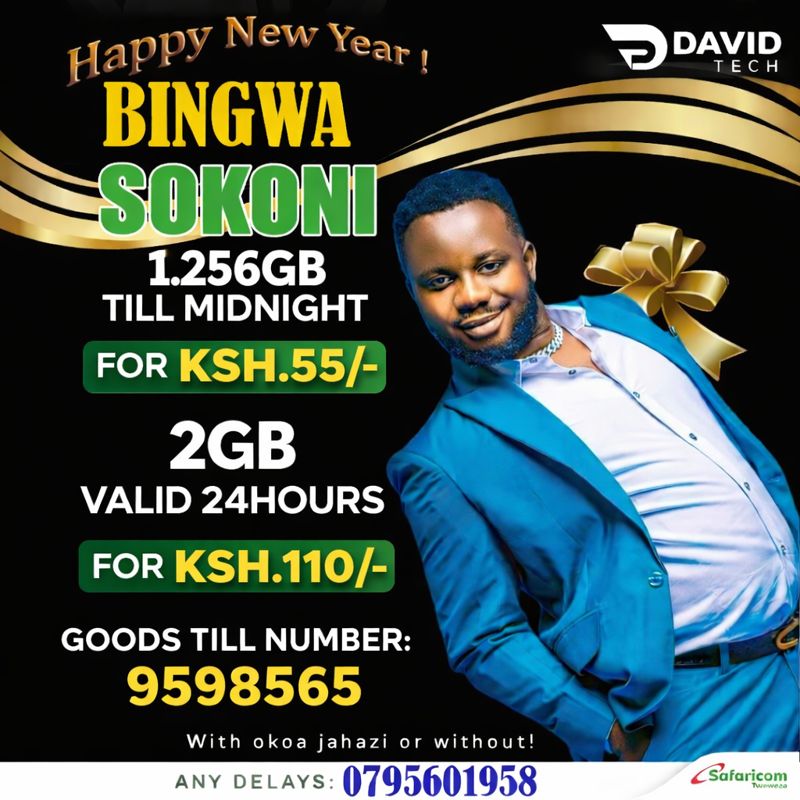
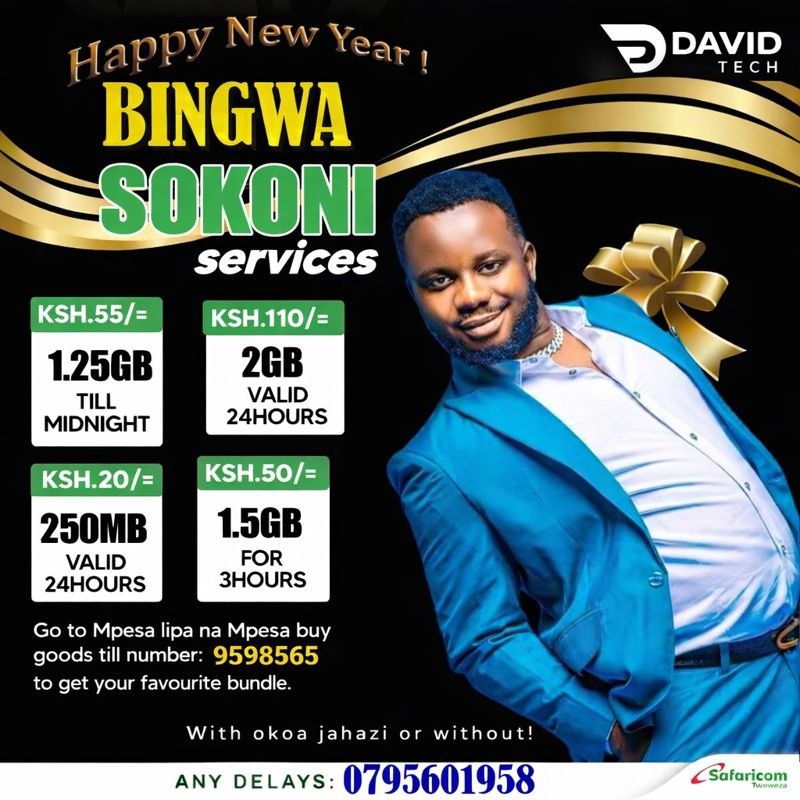
- Till Number: 9598565
Each till number offers a slightly different selection of bundles. Here are the exact steps to follow:
Step-by-Step M-Pesa Process:
- Access M-PESA Menu: Go to the M-PESA menu on your Safaricom line by dialing
*334#or using the SIM toolkit application on your phone. - Select “Lipa na M-PESA”: From the list of options, choose “Lipa na M-PESA.”
- Choose “Buy Goods and Services”: This is the option used for paying till numbers.
- Enter Till Number: Key in the specific till number for the bundle you want.
- For Till Number
4185628or9598565.
- For Till Number
- Enter the Exact Amount: This is the most critical step. You must enter the exact amount corresponding to the bundle you wish to purchase. For example, if you want the 1.25GB bundle valid till midnight for Ksh 55, you must pay exactly Ksh 55. Paying a different amount may result in a failed transaction or receiving the wrong product.
- Enter Reference (Optional): You can enter your phone number as a reference, though this is often optional.
- Confirm and Enter PIN: Double-check that the till number and amount are correct, then confirm the transaction and enter your M-PESA PIN.
- Receive Confirmation: You will receive the standard M-PESA confirmation message. Immediately after, the data, minutes, or SMS bundle will be loaded automatically to the phone number you used to pay.
- You’re Connected! You can now start using your new bundle.
Method 2: Accessing and Purchasing via the Bingwa Sokoni Website
The website bingwasokoni.co.ke is a powerful tool that not only provides information but also facilitates purchases. It’s particularly useful for seeing all available offers at a glance and for buying bundles for another person.
Here’s how to navigate and use the website:
Step 1: Visit the Website
Open your browser and go to https://bingwasokoni.co.ke. The homepage immediately displays popular offers and quick actions.
Step 2: Explore Available Bundles
The site is well-organized. You can browse:
- Today’s Offers: Flash deals with short-term validity, like the Ksh 20 for 250MB (24 hours) or Ksh 55 for 1.25GB (Till Midnight).
- Monthly Bundles: Comprehensive 30-day plans that include minutes and SMS, such as the popular “8 GB + 400 Mins” bundle.
- Data Bundles: Categorized into Daily, Till Midnight, and 24-Hour bundles to suit different usage patterns.
Step 3: Buying for Yourself
While the website primarily highlights the M-Pesa method, it provides a clear “Buy” button for each bundle. Clicking this button will prompt you to use the M-Pesa method described above, reminding you of the correct till number and amount to pay.
Step 4: Buying Bundles for Another Number (Automation)
This is a standout feature of the Bingwa Sokoni website. To send bundles to a friend, family member, or employee, follow this process:
- On the homepage, look for the option to “Buy for Another Number” or click on a specific offer and look for the same function. The FAQ section details this as clicking “Buy for Another Number” after selecting an offer.
- You will be prompted to enter two numbers:
- The number to pay from: This is your number that will send the M-Pesa payment.
- The number to receive the bundle: This is the beneficiary’s Safaricom number.
- Click the “Buy” or corresponding action button. This will likely provide you with the exact till number and amount to pay via M-Pesa.
- Complete the M-Pesa transaction as usual.
- The data, minutes, or SMS will be loaded instantly to the receiving number, not yours. This process effectively “automates” the delivery to the intended recipient.
Detailed Bundle Price List (as per bingwasokoni.co.ke)
To help you choose the right package, here is a breakdown of the offers listed on the website. Please note that prices and offers are subject to change, and you should always check the website for the most current deals.
Bundles via Till Number: 4185628
| Bundle | Price (Ksh) | Validity |
|---|---|---|
| 250MB | 20 | 24 Hours |
| 1.25GB | 55 | Till Midnight |
| 1GB | 19 | 1 Hour |
Bundles via Till Number: 9598565
| Bundle | Price (Ksh) | Validity |
|---|---|---|
| 1GB | 19 | 1 Hour |
| 1.5GB | 50 | 3 Hours |
| 2GB | 110 | 24 Hours |
Featured Monthly & Combo Bundles
| Bundle | Price (Ksh) | Validity | Details |
|---|---|---|---|
| 300 Mins + 500 SMS | 495 | 30 Days | For frequent callers |
| 800 Mins + 1000 SMS | (Check Site) | 30 Days | Unlimited same network calls |
| 8 GB + 400 Mins | (Check Site) | 30 Days | Best Value Combo |
Quick Feature Bundles (from “Today’s Offers”)
| Bundle | Price (Ksh) | Validity |
|---|---|---|
| 1.25GB | 55 | Till Midnight |
| 250MB | 20 | 24 Hours |
| 2GB | 110 | 24 Hours |
| 300 Mins | 495 | 30 Days |
How to Buy SMS and Minutes on Bingwa Sokoni
Purchasing voice minutes and SMS bundles follows the exact same process as buying data. You don’t need a separate menu.
- Identify the minutes or SMS bundle you want from the website (e.g., the 300 Mins + 500 SMS for Ksh 495).
- Go to the M-PESA menu on your phone.
- Select Lipa na M-PESA > Buy Goods and Services.
- Enter the appropriate till number (often 9598565 is used for these combo deals, but always confirm on the site).
- Enter the exact amount for the bundle (e.g., 495).
- Complete the transaction with your PIN.
- The minutes and SMS will be loaded automatically to your number.
Important Tips, Troubleshooting, and Best Practices
To ensure you get the best experience with Bingwa Sokoni, keep these crucial points in mind:
⚠️ Critical “Do’s and Don’ts”
- DO pay the exact amount. This cannot be stressed enough. Paying Ksh 50 for a Ksh 55 bundle will not work.
- DO use a Safaricom line. These offers are exclusively for Safaricom numbers in Kenya.
- DO check the official website (bingwasokoni.co.ke) for the latest offers and any special promotions.
- DON’T attempt to buy multiple times per day from the same number for the same bundle type to ensure “optimal service,” as advised on the site.
- DON’T share your M-Pesa PIN with anyone. Bingwa Sokoni will never ask for it.
🆘 What to Do If You Experience a Delay
While bundles are usually loaded instantly, there can sometimes be technical delays. If you don’t receive your bundle within a few minutes after your M-Pesa transaction is complete:
- Stay Calm: Your M-Pesa money is secure.
- Contact Support Immediately: Bingwa Sokoni provides a direct line for support.
- Call, SMS, or WhatsApp: 0795601958
- Reach out to them with your transaction details, and their highly-rated customer service team (as praised by customers like Jane Kariuki) will resolve the issue promptly.
🔄 How to Automate Your Purchases
Automation essentially means buying for another number, as described in Method 2, Step 4. By using the website to initiate a purchase for a different receiving number, you automate the process of keeping that line topped up. This is perfect for parents buying for children or businesses managing airtime for employees. The process is:
Website Selection -> Enter Payer Number & Receiver Number -> Pay via M-Pesa -> Automatic loading to Receiver’s phone.
Frequently Asked Questions (FAQs)
Here are answers to the most common questions users have about accessing Bingwa Sokoni.
1. What are the official Bingwa Sokoni Till Numbers?
The two official M-Pesa till numbers are 4185628 and 9598565. Always verify the bundle you want is associated with the correct till number on the official website.
2. Can I buy data for a friend or family member?
Yes, absolutely. You can do this easily by visiting bingwasokoni.co.ke and using the “Buy for Another Number” feature. You will pay from your phone, and the bundle will be sent directly to their phone.
3. I paid via M-Pesa but haven’t received my data. What should I do?
First, wait for the M-Pesa confirmation message. If you’ve received that but not the bundle after a few minutes, contact customer support immediately via Call, SMS, or WhatsApp at 0795601958. Keep your M-Pesa transaction ID handy.
4. Are these bundles for all networks?
No, Bingwa Sokoni bundles are specifically designed for and work only on Safaricom lines in Kenya.
5. What is the “Till Midnight” bundle?
A “Till Midnight” bundle is a data package that you purchase during the day, and its validity lasts only until midnight of that same day. It’s a great option for daily use without committing to a full 24-hour cycle.
6. How do I know which till number to use for a specific bundle?
The best way is to check the specific offer on the website bingwasokoni.co.ke. Each offer’s details will often mention the till number, or you can refer to the price lists provided in the FAQ section of the site and in this guide.
7. Can I use Okoa Jahazi to buy these bundles?
The website mentions that the bundles are available “with or without Okoa Jahazi,” implying that you can use your Okoa Jahazi credit to pay for these bundles via the till numbers, provided you have sufficient outstanding credit.
Conclusion
Accessing affordable and reliable communication services in Kenya has never been easier, thanks to platforms like Bingwa Sokoni. Whether you prefer the instant convenience of buying directly through M-Pesa via Till Numbers 4185628 and 9598565, or the enhanced control of using the bingwasokoni.co.ke website to purchase for yourself or automate bundles for others, the process is designed to be simple and user-friendly.
From the budget-friendly Ksh 20 for 250MB to the all-inclusive monthly bundles, there is a package to suit every need. Thousands of satisfied customers, like Elvis Obeni, Sarah Mwangi, and David Njoroge, attest to the platform’s value, ease of use, and excellent customer support.
So, why wait? Stop overpaying for your data and airtime. Explore the latest offers today on the official website and follow the simple steps in this guide to get connected. For any issues, the support team is just a WhatsApp message away at 0795601958.
Ready to experience the best value in town? Visit https://bingwasokoni.co.ke now and grab a bundle that works for you!

https://shorturl.fm/Idkqu
https://shorturl.fm/WkWKR
https://shorturl.fm/qTcw4
https://shorturl.fm/udHYd